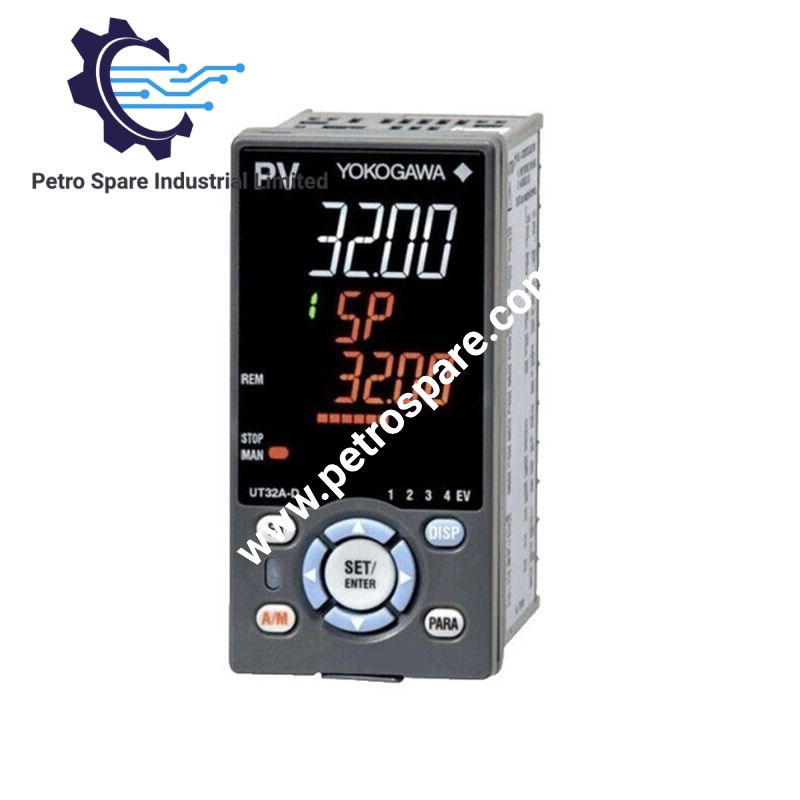


UT420E
Description
Description
The Yokogawa UT420E is identified as a digital indicating controller for temperature and general process-variable regulation. The documented UT420 platform uses universal measurement inputs and configurable control outputs to process sensor signals, compare measured values with setpoints, and generate control actions. It supports PID control, automatic tuning, alarm functions, and optional RS-485 communication. The exact UT420E suffix configuration requires confirmation against the product nameplate.
Technical Specifications
| Parameter | Specification |
|---|---|
| Model | UT420E |
| Brand | Yokogawa |
| Product Type | Digital Indicating Controller |
| Product Series | GREEN Series |
| Controller Type | Panel-mounted digital indicating controller |
| Measurement Inputs | Thermocouple, RTD, DC voltage |
| Control Output Types | Relay contact, voltage pulse, 4-20 mA DC |
| Control Method | PID control |
| Control Cycle | 200 ms (documented UT420 specification) |
| Measurement Accuracy | +/-0.1% |
| Alarm Outputs | 4 points (documented UT420 specification) |
| Setpoint and PID Combinations | Up to 8 |
| Power Supply | 100-240 VAC, 50/60 Hz |
| Power Consumption | 20 VA maximum (8.0 W maximum) |
| Dimensions (W x H x D) | 48 x 96 x 100 mm (UT420) |
| Mounting | Panel mounting |
Measurement and Control Functions
The UT420 platform accepts thermocouple, RTD, and DC voltage measurement signals. These inputs allow the controller to monitor process variables and calculate the difference between the process value (PV) and the configured setpoint (SP).
Its PID control function adjusts the output according to the measured deviation. Automatic tuning helps determine suitable PID parameters for the connected process, while the documented SUPER and SUPER 2 functions provide overshoot and hunting suppression.
Control Outputs and Alarm Functions
The controller supports relay contact, voltage pulse, and 4-20 mA DC output configurations. These signals can operate external control elements, depending on the selected output configuration and connected equipment.
Four alarm points are documented for the UT420 platform. They allow configured process conditions to generate alarm outputs independently of the primary control action. The relay output configuration and terminal assignments should be checked against the actual instrument version.
Communication and Setpoint Configuration
The UT420 platform supports optional RS-485 communication for exchanging controller data with external devices such as PLCs, PCs, and operator interfaces. Supported communication methods include PC link, ladder communication, and Modbus protocol.
Up to eight combinations of setpoints and PID parameters are documented. This allows different control settings to be selected for operating conditions that require different process responses. Communication and remote-input functions depend on the ordered configuration.
Installation and Electrical Requirements
The documented UT420 is a panel-mounted instrument with a 48 x 96 mm front-panel format. Its electrical supply is specified at 100-240 VAC, 50/60 Hz, with a maximum consumption of 20 VA.
Before replacement, verify the panel cutout, supply voltage, sensor input type, output configuration, and terminal arrangement. An instrument with optional communication or remote-input functions may require additional wiring and configuration checks.
Frequently Asked Questions
Q: What measurement signals can the Yokogawa UT420E handle?
A: The documented UT420 platform supports thermocouples, RTDs, and DC voltage inputs. The exact input configuration should be checked against the UT420E nameplate and ordering information.
Q: Does the UT420E support RS-485 communication?
A: RS-485 communication is available as an optional function on the documented UT420 platform. Confirm that the particular instrument includes the communication option before planning PLC or PC connectivity.
Q: Is the Yokogawa UT420E suitable as a replacement for an existing UT420?
A: The UT420 and UT420E designations should not be assumed to have identical configurations. Check the complete ordering code, input type, output arrangement, communication options, and terminal connections before replacement.
Product Benefits
Product Benefits
- 100% genuine products in stock with fast delivery. Learn more...
- 30-day return policy for quality assurance. Learn more...
- 12-month warranty for peace of mind. Learn more...
Reviews
Reviews